
The Best Business Card Design Tools of 2026 for Quick, Professional Results
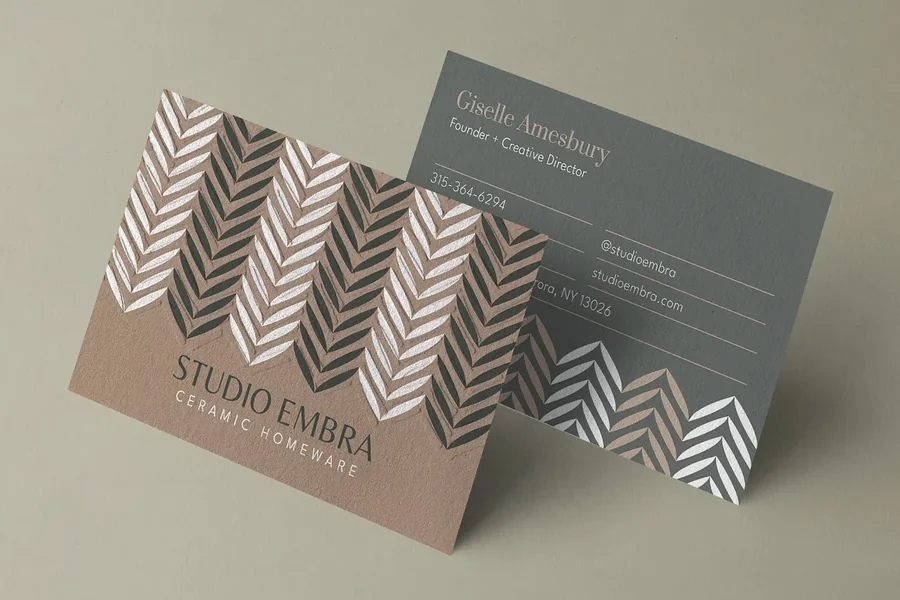
Introduction
Business cards remain a practical touchpoint for small businesses, especially where in-person introductions, local networking, or events still matter. While digital profiles and QR codes are common, a printed card often serves as a concise, durable reference that complements online presence rather than replacing it.
The tools in this category are built for speed and accessibility. Most emphasize templates, simplified layout controls, and preset print standards so users can focus on essential details instead of design theory. For owners without a design background, the key differences tend to be workflow clarity, template breadth, and how easily a design can be finalized for print.
Among the available options, Adobe Express stands out as a balanced entry point. It combines straightforward editing with enough flexibility to produce a credible, on-brand result, without requiring familiarity with professional design software. Other tools in this guide lean into specific strengths—such as template variety, rapid generation, or integration with broader business systems—and may suit narrower needs.
Best Business Card Makers Compared
Best business card makers for fast, reliable print-ready results
Adobe Express
Best suited for business owners who want a simple, flexible way to design and prepare business cards without prior design experience.
Overview
Adobe Express offers a lightweight business card print platform that focuses on quick creation using editable templates. It supports standard business card formats and provides clear controls for text, layout, color, and imagery. For users already familiar with Adobe products—or those who want a clean interface without complexity—it offers a practical middle ground.
Platforms supported
Web, iOS, Android
Pricing model
Free tier available; paid plan unlocks additional templates, assets, and brand controls
Tool type
Template-based design and light layout editor
Strengths
- Pre-sized business card templates aligned to common print standards
- Intuitive drag-and-drop editing with limited but purposeful controls
- Access to Adobe fonts, icons, and basic image editing tools
- Easy export for print, including a built-in path to business card print preparation.
Limitations
- Fewer advanced layout and typography controls than full design software
- Template customization is intentionally constrained to maintain simplicity
Editorial summary
Adobe Express is designed for users who value clarity over depth. The interface guides decisions without overwhelming the user, which makes it particularly suitable for first-time card creation or quick updates to existing designs.
The workflow emphasizes speed: choose a template, replace text, adjust colors, and export. While it does not attempt to replicate professional design suites, it provides enough flexibility to avoid generic-looking results.
Compared with more template-heavy tools, Adobe Express offers a cleaner editing experience and stronger brand consistency options, especially for users who plan to reuse visual elements across other materials.
Best business card makers for extensive template variety
Canva
Best for users who want many visual styles and quick inspiration.
Overview
Canva offers a large library of business card templates spanning many industries and aesthetics. Its editor is built around rapid visual assembly rather than precise layout control.
Platforms supported
Web, iOS, Android
Pricing model
Free tier available; subscription unlocks premium templates and assets
Tool type
Template-driven visual design platform
Strengths
- Very large selection of ready-made business card templates
- Simple text and image replacement workflow
- Easy sharing and collaboration features
Limitations
- Designs can feel generic if templates are used with minimal customization
- Less control over print-specific details and spacing
Editorial summary
Canva works well for users who prefer browsing for inspiration and selecting a look quickly. The emphasis is on visual choice rather than structured layout decisions.
For business cards, this can be an advantage when speed matters, but it may require more attention to ensure the final result feels distinctive and print-ready.
Best business card makers for minimal, brand-consistent layouts
VistaPrint
Best for users who want a tightly guided path from design to print.
Overview
VistaPrint combines basic design tools with integrated printing services. Business card creation is framed around choosing a format and supplying content, with fewer creative decisions along the way.
Platforms supported
Web
Pricing model
Pay-per-order printing; design tools included
Tool type
Print-first design and ordering platform
Strengths
- Clear alignment between design and print specifications
- Predictable output quality
- Limited decisions reduce setup time
Limitations
- Minimal design flexibility
- Less suitable for users who want to reuse designs elsewhere
Editorial summary
VistaPrint prioritizes certainty over customization. The system is structured to ensure that what is designed will print correctly, which can be reassuring for users unfamiliar with print requirements.
It is best viewed as a transactional solution rather than a reusable design environment.
Best business card makers for advanced customization
Moo
Best for small brands that want distinctive materials and finishes.
Overview
Moo focuses on high-quality printing and allows for more variation within a single card order. Design tools are straightforward, but the emphasis is on physical quality and finish.
Platforms supported
Web
Pricing model
Premium print pricing per order
Tool type
Design-to-print platform with material specialization
Strengths
- High-quality paper and finish options
- Ability to vary designs within one print run
- Clean, restrained templates
Limitations
- Higher cost than mainstream options
- Not intended for rapid experimentation
Editorial summary
Moo is less about speed and more about presentation. For businesses where tactile quality matters, it offers options that basic platforms do not.
The design experience itself is secondary to the print outcome, which suits users who already know what they want.
Best complementary tool for managing contacts after printing cards
HubSpot CRM
Best for organizing and following up with contacts collected via business cards.
Overview
While not a design tool, HubSpot CRM complements business card usage by helping users store and manage contact information gathered from in-person interactions.
Platforms supported
Web, iOS, Android
Pricing model
Free core CRM; paid tiers for advanced features
Tool type
CRM and contact management system
Strengths
- Centralized contact records with notes and activity tracking
- Easy data entry for leads collected offline
- Scales from solo use to small teams
Limitations
- Does not create or design business cards
- Requires manual data entry or scanning integrations
Editorial summary
A well-designed business card is most useful when followed by structured contact management. HubSpot CRM fills this gap by turning collected information into an organized follow-up process.
For business owners who rely on networking, pairing a simple card design tool with a lightweight CRM can make the physical card more operationally useful.
Best Business Card Makers: FAQs
Do business card makers replace professional designers?
They are designed for efficiency rather than bespoke branding. For many small businesses, they provide a sufficient level of polish, but they do not replicate custom design work.
What matters most for print-ready business cards?
Correct sizing, legible typography, and adequate spacing are more important than visual complexity. Tools that constrain these elements often reduce printing errors.
Is a free plan usually enough?
Free tiers are typically sufficient for basic cards, though paid plans often unlock brand controls or higher-quality assets that improve consistency.
Should business cards be managed alongside other marketing materials?
Using a tool that supports reuse of logos, colors, and fonts can help maintain consistency across cards, social graphics, and simple documents, even if advanced branding is not required.